











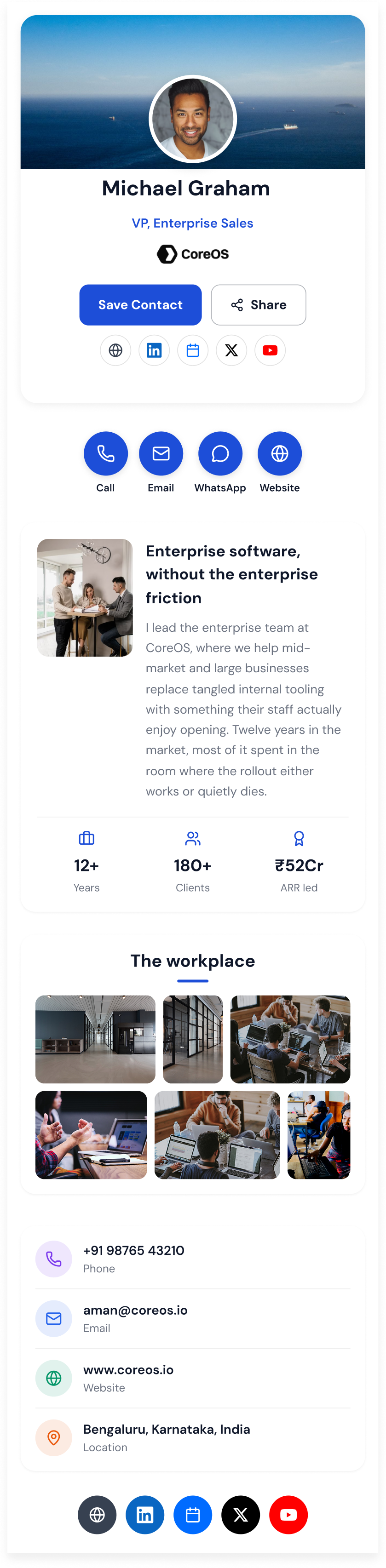
Digital Business Cards

The Digital Business Card Your IT Team Will Approve

Create a digital business card you share by QR code, NFC tap, or link — and that saves to anyone’s contacts in one tap, with no app on either side.

Digital Card on Mobile Phone
Core features

Everything a business card should have done all along

Built for the person handing the card over and the admin running two hundred of them.

A card that lives on the phone

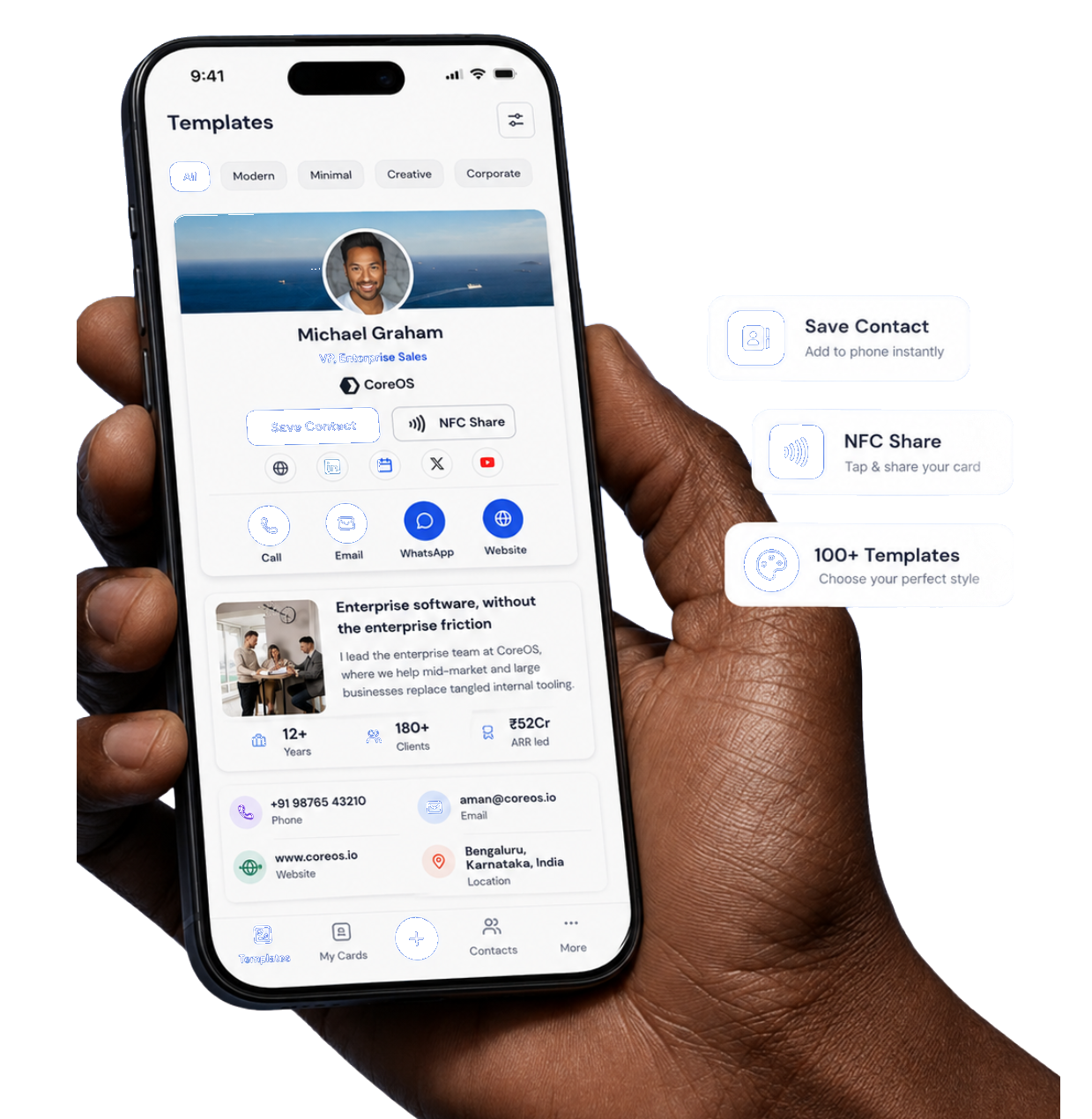
One profile with photo, role, direct dial, email, socials, calendar link, and address — rendered as a fast web page anyone can open.

Tap or scan to share

Hold your phone or NFC keycard to theirs, or let them scan your QR. Recipients need no app and no account.

One-tap contact saving

A single button writes a full vCard into their phonebook — spelled correctly, every field populated, no typing.

Locked-down branding

Set the logo, palette, typeface, and custom domain once. Every card in the company inherits it and stays on-brand.

Analytics on every share

See views, saves, taps, and link clicks per person and per team, so you can tell which conversations actually landed.

Directory-driven access

Provision from Okta or Microsoft Entra ID over SCIM, sign in with SAML SSO, and revoke a card the moment someone offboards.

Automated Card Creation & Sync

Turn Directory & Roster Data into Live Digital Cards

Connect Okta, Microsoft Entra ID, Workday, BambooHR, Google Workspace, or upload a CSV. Automatically create branded business cards, Apple Wallet passes, and CRM sync with zero manual maintenance.

BambooHR
BambooHR
Okta
Okta SCIM 2.0
Google Workspace
Google Workspace
Microsoft Entra ID
Entra ID
Workday
Workday HRIS
SAP
SAP SuccessFactors
Live Digital Card
Avatar

Sarah Lin

Live Card

✓
QR & NFCActive
Apple & Google Wallet
vCard
NFC
Pass
.pkpass Auto-Provisioning
CRM & Webhook Sync
HubSpot & SFDCSynced

100%

Automated Roster Sync

0 Tickets

Manual IT Work Removed

< 0.4s

Offboard Deprovisioning

50+ Tools

Enterprise Integrations

How it works

Live in an afternoon

No hardware to buy before you start and nothing for your recipients to install.

01

Pick a template

Start from one of twelve designed layouts, or import your brand kit and build your own.

02

Add your people

Invite by email, upload a CSV, or connect Okta or Entra ID and let the directory create every card.

03

Share by tap or scan

Everyone gets a QR, a short link, and an optional NFC card that ships to them.

04

Track what it earns

Watch saves and clicks per person, spot the cards that convert, and update details in one place.

Built for

Rolled out
company-wide

From a four-person studio to a twelve-thousand-seat rollout. Bulk import, directory sync, and a JSON ingestion API cover the whole range on the same plan.

Acme Corp logoAcme CorpCubekit logoCubekitCoreOS logoCoreOSConvergence logoConvergenceEphemeral logoEphemeralEasyTax logoEasyTax

2.4M+

Cards shared

38%

Avg. contact save rate

90+

Countries

99.98%

Uptime

Behind the Designs

Curious What Else I've Created?

Explore more brand identities, packaging, and digital design work in my extended portfolio.

Real Estate
Real Estate
Creator Portfolio
Creator Portfolio
Photographer
Photographer
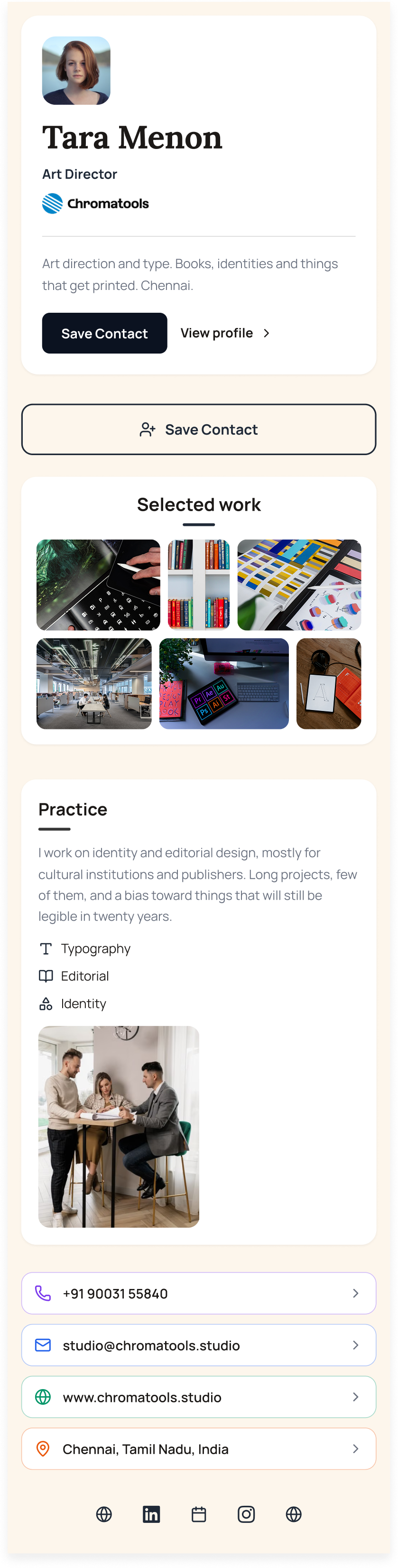
Designer
Designer
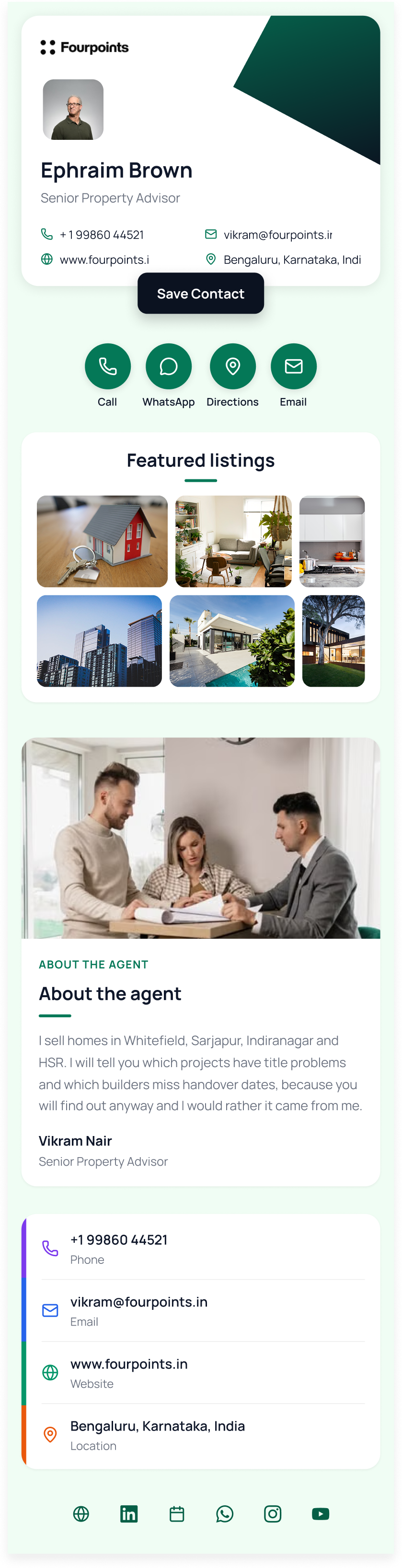
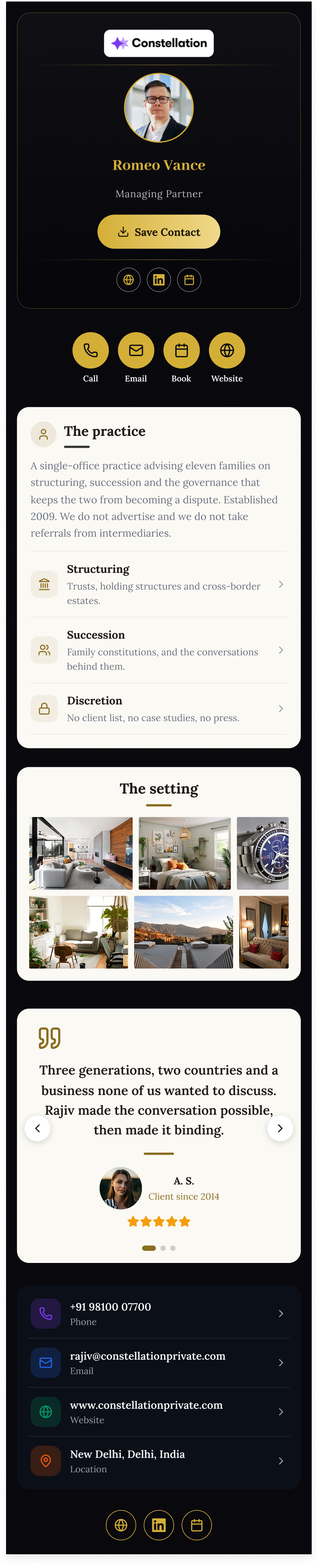
Luxury Executive
Luxury Executive
Restaurant
Restaurant
Minimal Corporate
Minimal Corporate
#01

Strategy & Planning

#02

Design & Development

#03

Launch & Growth

#04

Ongoing Support

QR & NFC

Two ways to hand it over

Whichever they reach for, the card opens instantly in their browser — no app, no download, no friction.

9:41

Share your card

Point any camera — no app needed

QR
Dynamic · edits go live instantly
Download for print
Add to email signature

Scan the code

A dynamic QR that points at your card, not a frozen file. Reprint nothing when your title changes — edit the card and every code already in the wild updates.

  • Print-ready SVG & PNG export
  • Email signature embed
9:41

Ready to tap

Hold near any phone to share
Amara's card — no app on their side

AOAmara Osei portraitAmara OseiNorthwind Group
Works with iPhone & Android

Or just tap

Order NFC cards, badges, or phone stickers keyed to each profile. Hold it to any modern phone and the card opens — nothing to pair, nothing to install.

  • Metal, bamboo & recycled PVC
  • Re-assignable when staff change
  • Bulk shipping to 90 countries
Contact saving

They tap once. You're in their phonebook forever.

No retyping a surname from a photo of a card. QRBold writes a complete vCard — name, role, direct line, email, company, address, socials — straight into their contacts, and keeps it fresh when your details change.

Full vCard 4.0 exportUpdates propagate to saved contactsWorks from QR, NFC, or a plain linkNo account required to receive
9:41
Contact saved to your phone
NFC
AOAmara Osei portrait

Amara Osei

Director of Partnerships

Northwind Group· Austin, TX

Saved details

Mobile+1 (512) 555-0148
Work emailamara@northwind.co
Websitenorthwind.co
OfficeAustin, TX
Stays current if Amara updates her card
Teams & Enterprise

Two hundred cards, provisioned like software

Cards are created, updated, and revoked automatically by your identity provider — so your directory roster is always synchronized without manual work.

OktaEntra IDGoogleWorkdayBambooHR
SCIM 2.0 Auto-Sync
Provisioning 200+ cards from directory groups...
Amara O.Amara O.
Diego M.Diego M.
Priya R.Priya R.
Tomas L.Tomas L.

Intelligent Provisioning Engine

Connect your identity provider once. Cards are generated, updated, and revoked automatically with real-time SCIM 2.0 synchronization.

Q
QRBold Workspace Console
RosterAnalyticsAudit Logs
Total Cards+40% ↑
2,957
vs 1,703 last month
Contact Saves & Taps23 Mar - 23 Apr, 2026
1,503 saves · 15 Apr
Wallet Distribution:Apple Wallet (73%)·Google Wallet (27%)

Customizable Dashboards & Controls

Admins gain granular visibility over card activations, wallet installations, real-time tap telemetry, and department-level adoption.

Amara Osei
Priya Raman
Diego Marín
Tomas Lindqvist
Sana Khalid
Mei Kwan

Real-Time Group Distribution

Assign distinct template designs across Sales, Field, and Executive tiers with instant synchronization.

Sync Directory Roster
SCIM 2.0 Push Event
Pass Issued to Wallet

Advanced Automation

When an employee departs or changes departments, their digital card is deactivated in the exact same minute.

SAML 2.0 SSOSOC 2 Ready

Enterprise-Grade Security

Enterprise SAML 2.0 single sign-on, immutable audit logging, granular roles, and locked company brand guardrails.

Analytics

Know which handshakes actually stuck

A paper card disappears the moment you hand it over. Every QRBold card reports back: who opened it, who saved the contact, which link they clicked, and where in the world it happened.

Per-person and per-team

Compare save rates across regions and roles.

Source attribution

QR, NFC tap, or direct link.

Live, not batched

Events land in the dashboard in seconds.

Export anywhere

CSV, scheduled email, or the JSON API.

Card analyticsNorthwind Group · last 6 monthsAll teams

38.2k

Card views

+24%

11.4k

Contacts saved

+31%

29.8%

Save rate

+4.1pt

Views Saves NFC taps
Mar
Apr
May
Jun
Jul
Aug

Top cards

PRPriya Raman portraitPriya Raman4,182
AOAmara Osei portraitAmara Osei3,940

Join thousands of teams

who replaced the box of printed cards in the supply cupboard with QRBold.

2.4M+

Cards shared

41%

Contacts saved per scan

1.8k+

Companies on a card programme

9:41
Back

Card Analytics

Northwind Group

Last 6 mo
Jan
Feb
Mar
Apr
May
1104
Jun
Card viewsContacts saved

Stay ahead with real time data

Card views, contact saves, and link clicks land in the dashboard within seconds of the scan — so you can act on a warm lead the same day, not at the end of the quarter.

Trends over time

See which months, events, and teams move the numbers.

Save-rate insight

Spot the cards people actually keep, and copy what works.

SalesField OpsExecutiveAccount MgmtRecruitingMarketingSupportEngineeringClinicalMost cards issuedHighest save rate

See which teams share the most

Group cards by department and compare them side by side. Account management out-shares every other team; support saves the highest share of the scans it gets. Both are worth knowing before you buy the next batch of NFC cards.

Grouped by department

Directory groups become card groups automatically.

Volume and quality

Bubble size is shares; the label flags save rate.

AO

Amara Okonkwo’s card

Scanned 2 minutes ago

NFC tap

Source

Lisbon, PT

Location

Saved

Result

Followed link · Book a meeting1m
Pushed to CRM · Vertex pipeline1m
Turn on scan alerts

Get instant notification when someone scans

A push or email the moment your card is opened, with the source, the location, and whether they saved your contact — so the follow-up goes out while the conversation is still fresh.

Real-time alerts

Push, email, or a Slack channel for the whole team.

Straight into the CRM

Webhooks and the JSON API push every scan onward.

Customer stories

Teams that retired paper

“We rolled out 240 cards from Entra ID in a single afternoon. When someone changes role, the card changes itself — that alone paid for the year.”
PRPriya Raman portraitPriya RamanHead of IT Operations, Northwind Group
“Our field team stopped carrying paper entirely. Save rate at events went from a stack of cards nobody typed up to 41% of scans landing in a phonebook.”
DMDiego Marín portraitDiego MarínVP Field Sales, Vertex Labs
“The branding lock is the part I did not expect to love. Every card looks like us, and nobody can quietly ship a purple one.”
NBNoa Bergman portraitNoa BergmanBrand Director, Studio Nine
“Offboarding used to mean hoping an ex-employee stopped handing out cards. Now Okta deprovisions and the card is dead the same minute.”
MRMarcus Reid portraitMarcus ReidSecurity Lead, Ardent Capital

What is a digital business card?

A digital business card is a shareable web page holding your name, job title, company, phone, email, and links, opened by scanning a QR code or tapping a link. Unlike a printed card, the details can be updated after it is shared, and every scan is measurable — so the card stays correct when your role changes.

What a digital business card is, and why the format works

A digital business card is a web page that represents a person: their name, job title, company, phone number, email address, and whichever links matter — LinkedIn, a booking page, a portfolio. It is reached by scanning a QR code, tapping an NFC tag, or opening a link, and on any modern phone the recipient can save the whole thing to their contacts in one tap without installing anything.

Virtual business card and electronic business card describe the same object. So does the phrase most people actually use — "just scan this" — which is worth remembering, because the format only works if the person on the other side never has to be taught how it works.

The property that makes a digital business card worth using is that the card and the code are separate things. The QR code points at a short link; the card sits behind it. That means the code printed on a badge in January is still correct in December after a promotion, a phone number change, and a rebrand — because none of those touched the code. A printed card freezes on the day it goes to press, which was never really a paper problem so much as an addressing one.

The second property is measurement. A paper card disappears into a pocket and is never heard from again. A digital business card produces scan counts, locations, devices, and times, which is what lets an organisation answer whether a conference, a badge design, or an email signature placement is actually generating contacts.

How does a digital business card work?

There is no app, no account, and no software on the receiving side. A digital business card is a URL, and everything else is a different way of handing that URL to somebody.

  • A QR code opens it. Every current iPhone and Android camera scans QR codes natively. Point, tap the notification, the card opens as an ordinary web page. This is how most digital business cards get shared in person.
  • An NFC tag opens it. A programmable NFC tag or card written with the card link opens the same page on tap. Useful when you want the physical object — a metal card, a sticker on a laptop, a tag behind a badge.
  • The link opens it. Paste it into a message, an email signature, a calendar invite, or a video call chat. Remote introductions are where a digital business card quietly beats paper, because paper cannot be shared at all.
  • One tap saves the contact. The card exports a full vCard 4.0, so the recipient gets a correctly spelled name, a working number, and a populated job title in their phonebook — rather than a photo of a card they will never type up.
  • Edits reach the card, not the code. Because the code is an address rather than the data itself, changing a title or a number updates every card already in circulation. Nothing gets reprinted.

How to create a digital business card

Making one for yourself takes a few minutes. Making four hundred is a different problem, covered further down — but the individual flow is the same one running underneath it.

  • Pick a template. Layout, colours, and which fields appear. For a company programme this is chosen once and locked; for a personal card, pick whatever looks like you.
  • Add your details. Name, job title, company, phone, email, and the links worth having — LinkedIn, a scheduling page, a portfolio, a WhatsApp thread. Fewer, better links outperform a wall of icons.
  • Apply your branding. Logo, palette, and the domain the card is served from. Cards on your own domain look like your company rather than like a vendor.
  • Publish and take the QR code. You get a link and a print-ready dynamic QR code. Dynamic matters: it stays valid when the details behind it change.
  • Share it, then read the numbers. Put the code on a badge, a printed card, or an email signature, then use scan and contact-save counts to work out which placement is actually earning contacts.

Ways to share a digital business card

The card is one artefact with several surfaces, and the surfaces do not perform equally. Most teams find that email signatures and badge codes generate more contacts than the in-person moment everybody designs for.

  • A printed QR code. On a paper business card, a conference badge, a booth banner, a table tent, or the back of a laptop. The highest-volume placement for most people.
  • An NFC card or tag. Tap-to-open from metal card stock or a sticker. QRBold does not sell NFC hardware — any blank programmable stock can be written with a card link.
  • An email signature. A link or a small QR image under every message. Compounding, passive, and the placement most often forgotten.
  • The direct link. Messaging apps, video call chat, LinkedIn, calendar invites. The only sharing method that works when nobody is in the room.
  • Your phone screen. Open your own card and let the other person scan it off the screen. No hardware, no printing, and it works the first time you need it.

Why use a digital business card?

The case is not that paper is obsolete — in several markets a printed card still carries real social weight. The case is that a printed card is a poor container for information that changes.

  • The details stay correct. A promotion, a new number, or a rebrand updates every card already sitting in someone's pocket, because the code addresses the card rather than encoding it.
  • Contacts actually get saved. One tap writes a complete vCard into the phonebook. The alternative is a photo of a card in a camera roll, which is where most paper cards end their working life.
  • It is measurable. Scans, saves, times, and sources are visible, so you can tell which events and placements produce contacts and which ones only produce activity.
  • It stays on brand. One locked template makes a thousand cards look like one company — the thing that never survives contact with a print budget and a regional office.
  • It costs less at scale. No reprint on every title change, and, depending on how the platform prices, no per-seat licence for people who share a card twice a year.

Individual cards and company card programmes are different products

Almost all confusion when evaluating this category comes from treating two different problems as one, and vendors have little incentive to separate them because both are sold under the same name.

An individual card is a personal tool. One person maintains their own details, chooses their own design, and shares it themselves. Success is a good-looking card and an easy sharing flow, and the market is well served — several platforms do this well, and free tiers are genuinely usable.

A company card programme is an IT and brand governance problem wearing a card costume. Success is that every person in scope has a card, that all of them are on-brand, that the details are correct without anyone maintaining them, and that cards stop working when people leave. None of those are solved by a good card designer, and all of them are solved by connecting the programme to the systems that already know who works there.

The practical consequence: evaluate a company programme on provisioning, deprovisioning, brand locking, and roster maintenance. Evaluate an individual card on design and sharing. A tool that is excellent at one is frequently mediocre at the other, and that is not a flaw so much as a positioning choice.

The four ways card data gets in, and when to use each

How employee data reaches the platform determines almost everything about whether the programme stays accurate. There are four options and they are not interchangeable.

  • Employees enter their own. Zero setup, and it fails at scale. Roughly a third of people complete it, and the third who do enter titles inconsistently. Fine for a small team, unworkable as a company programme.
  • A one-off CSV or XLSX import. Everyone has a card on day one. Correct until the first hire, promotion, or departure — then progressively wrong, with no owner and no alarm. Genuinely right for fixed populations like a conference delegation.
  • Directory sync from an identity provider. Cards are generated from Okta or Microsoft Entra ID and maintained by the joiner-mover-leaver processes that already exist. The correct answer for any ongoing employee programme.
  • A programmatic API. For when a system rather than a person owns the roster — an HRIS, a CRM, an internal service. Best where card creation should be part of an existing automated workflow.

Why deprovisioning is the requirement that decides the vendor

When a card rollout gets blocked internally, it is almost never the design or the price. It is a security review asking what happens when someone leaves, and getting an unsatisfying answer.

The reason is worth stating plainly. A digital business card is a public URL carrying a real person's name, job title, employer, direct phone number, and email address. Left live after termination it is a working asset for anyone building a social-engineering pretext — and unlike a dormant Slack account, nobody receives an alert when it is used, and nothing in the normal course of business surfaces it.

"An administrator deletes the card" is not a control. It is a task, and tasks get missed. The requirement is that deactivation in the identity provider automatically suspends or deletes the card, with no human step, and that the current state of any individual's card is directly visible rather than inferred. That is what SCIM provides, and it is why the identity question rather than the design question usually determines which platform an organisation ends up with.

What a rollout actually looks like

A company-wide programme is a short project rather than a purchase, and it goes wrong in predictable places.

  • Decide scope before anything else. Usually the customer-facing population — sales, customer success, field engineering, recruiting, partnerships, executives — which is typically ten to thirty percent of headcount. Provisioning everyone inflates cost and makes adoption metrics meaningless.
  • Get identity done first. Configure SSO and verify it with a real sign-in before the design work. Doing it first front-loads the review that would otherwise block the launch at the end.
  • One template, signed off, locked. The single artefact that makes a thousand cards look like one company. Lock what must not vary.
  • Pilot one group, and test a departure. Provision a single department, check cards against the directory, then deactivate a test user and confirm the card goes offline. That last test is the one worth doing before you rely on the control.
  • Ship the distribution kit, not just the cards. Email-signature snippet, badge-ready QR image, and a one-line script for what to say. A card nobody knows how to use gets scanned exactly never.

How QRBold compares

Honest comparisons, including where the other product is the better choice.

Digital business card FAQs

What people ask before making one — and what organisations ask before rolling them out to a whole company.

Start with one digital business card. Scale to the whole directory.

Create your first digital business card free, then connect Okta or Microsoft Entra ID when you are ready to roll it out across the company.

Start Free

No credit card required